Import Trial Balance from Another Engagement
Before You Begin
This feature allows users to import a Trial Balance (TB) from another engagement for the same client for:
-
Annual Engagements
-
Interim Engagements
-
Import from Period to Period
-
-
Consolidated Engagements
-
Single-Tier
-
Multi-Tier
-
-
Interim to Annual
-
Migrated Interim engagements come to CCH iFirm Engagement as annual.
-
Import TB to Interim engagement
-
The Client name field is read-only and restricted to engagements for that client.
Starting the Import Process
-
Open the target engagement and navigate to the Trial Balance page.

-
Select Import TB and choose Select engagement.
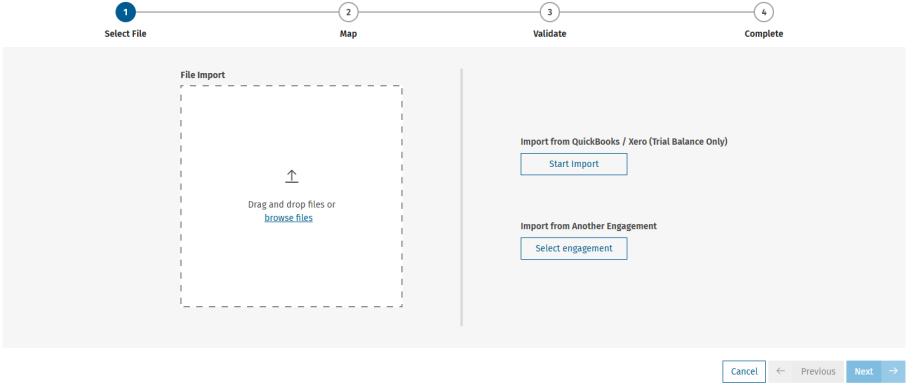
Selecting the Source Engagement
-
Select the source engagement associated with the same client.
-
Search field triggers after three letters/numbers
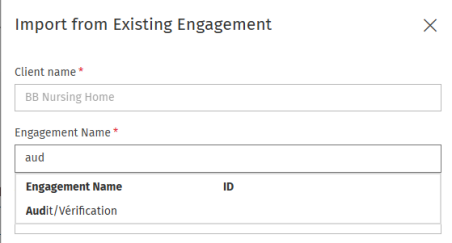
-
Selecting Trial Balance Details
-
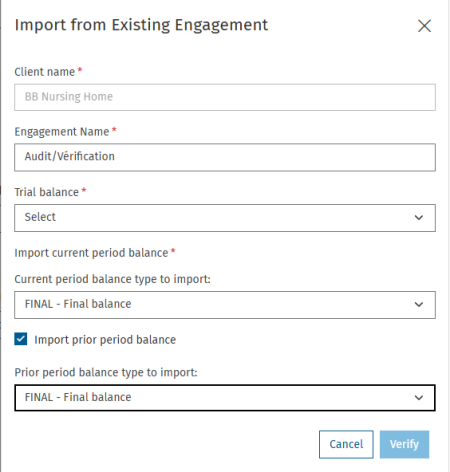
Choose the trial balance.
Note: You must select which trial balance to import for interim and consolidated engagements. -
Select balance types (Unadjusted, Adjusted, Final, Final Tax).
-
Select years or periods (Annual or Interim).
Reviewing and Validating the Import
-
Click Verify to begin the import operation.
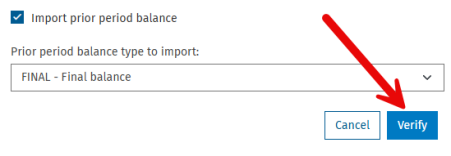
-
Verify the Trial Balance.
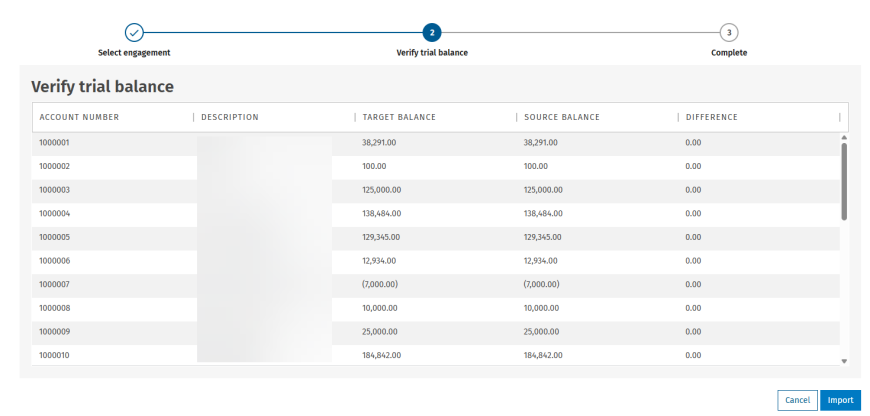 Note: Here you will see a reconciliation between the source data and the destination trial balance.
 -
Complete the import by clicking Import.
Checking for Source TB Changes
Check for Changes is done manually. Live connection with updates will come in a later release.
-
Click Check for updates to detect differences.
Note: If no differences, a toaster message appears at the top of the screen: No changes have been made since the last update.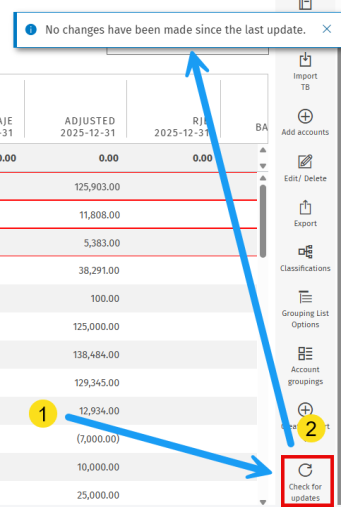
-
Review detected differences including highlighted accounts.
Note: If there are differences, the same reconciliation report from the original import displays ONLY accounts that have changes.
-
Click Import. The changes in the source trial balance will flow to your engagement.